
Halloween
Orange and purple, or a slow flicker. Switch it on October 1 and off November 1.
Halloween orange on the 31st. Team colors on Friday night. Red, white and blue on the 4th. All from the same lights.
The calendar
Orange and purple, or a slow flicker. Switch it on October 1 and off November 1.
Warm white into red and green. See permanent Christmas lights.
Gold and white for New Year's. Red and pink for February.
Red, white and blue across the eaves, then back to warm white the next day.
Your school's colors or your team's. Set a Friday schedule and forget it.
A Grand Prairie homeowner built a look for his grandkids' visits. One tap when they pull up.
How it works
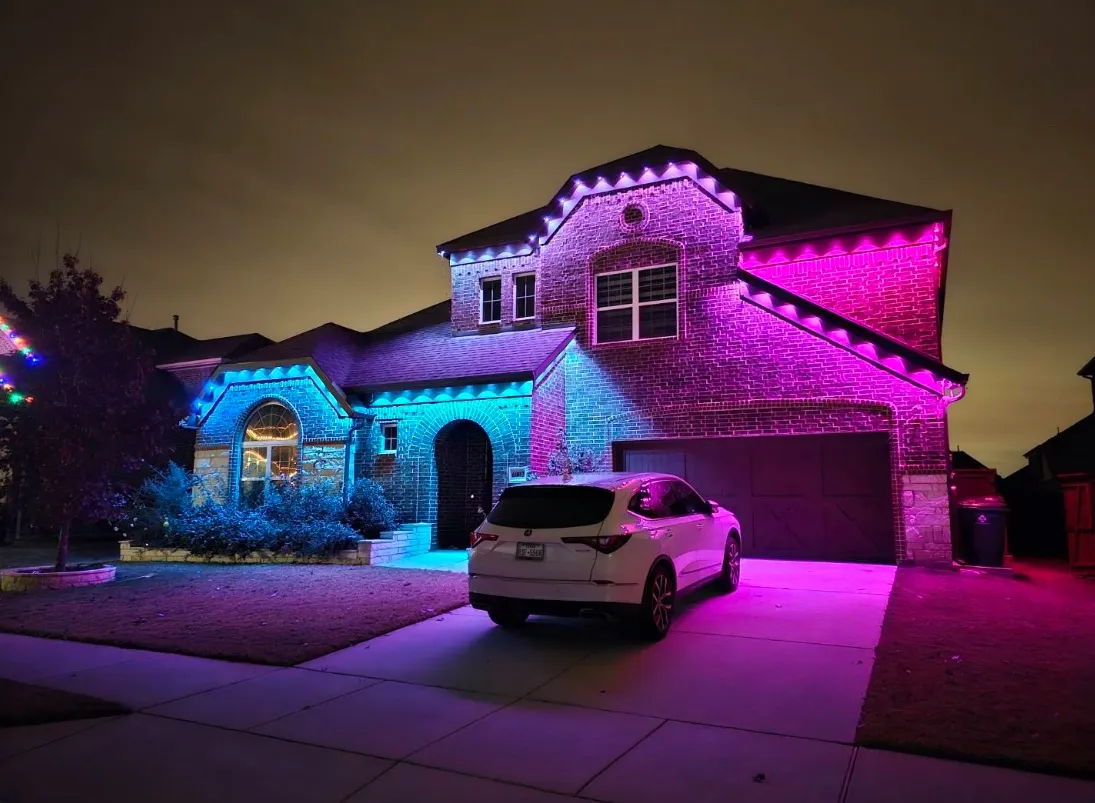
From a real job
Team colors for game day, holiday looks, and something cool for the grandkids. He set every color himself in the app. His favorite: turning on every fifth light so it looks like natural lighting, not a strip.
FAQ
Yes. You can pick any color in the app and save it as a preset. You can also split the house into zones to run two team colors at once.
No. You pick a look in the app and schedule it. Nobody comes out to your house.
Yes. You can schedule by day, season or holiday, plus sunrise and sunset timers.
Change it in the app. Nothing on the house changes.
Free quote
Fill out the form and we will call you to set the visit. We measure your roofline and quote it the same visit. The quote is free.
Form not loading? Call or text 817-745-6086.
By submitting this form you agree to receive calls and text messages from Aurascape Permanent Outdoor Lighting at the number you provide, including about your quote and scheduling. Message frequency varies. Message and data rates may apply. Reply STOP to opt out or HELP for help. Consent is not a condition of purchase. Mobile information is not shared with third parties or affiliates for marketing or promotional purposes. See our Privacy Policy and Terms and SMS Terms.